
Email templates used to be hell. Either you used a stock template from your mail platform and looked like everyone else. Or you hired a developer.
Now I use Claude Design.
A standalone tool for prototypes, slides, one-pagers and marketing assets. You can feed it your design system from your codebase or your design files, and it automatically uses your colors, your typography and your components in everything it makes.
That includes email templates.
🎯 Here’s what it looks like
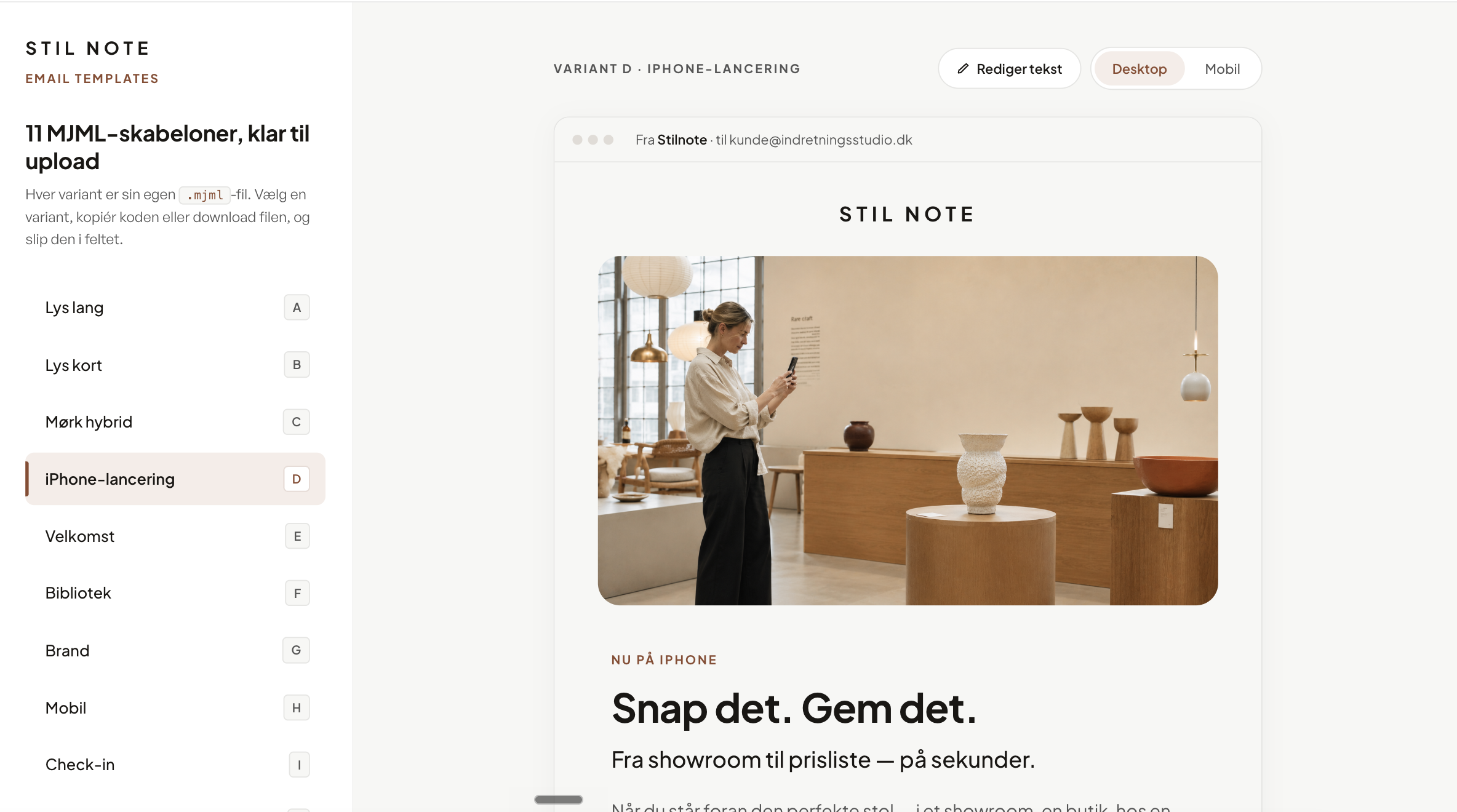
I send my newsletters via Loops. Loops wants MJML, a markup language that makes email templates render properly across clients. A plague to write by hand.
For Stilnote, I asked Claude Design to make eleven MJML variants. Light long, light short, dark hybrid, one for the iPhone launch, a welcome, one for the library. Stilnote’s design system was already loaded into Claude Design, so typography, colors and rhythm were right from the first draw.
I opened the preview page. Toggled between desktop and mobile. Tweaked the subject line and preheader. Copied the code. Dropped it into Loops.
Presto. An email that’s damn good-looking.
Now I have to do the same with Knud. Different brand, different colors, same workflow. Claude Design can hold multiple design systems at once, so Knud gets its own. I dictate what the email needs to communicate, Claude Design builds the variant, I pick the one that lands.
🎨 This is about control over your own brand
Stock templates from Loops or Mailchimp look like everyone else’s emails. Your own design system in an MJML file looks like you.
👉 Try it yourself
Take your next email. Feed Claude Design your brand. Ask for MJML. Test it in Loops’ preview. Iterate.
You don’t need to know how to code to get emails that look like a designer made them.
Best, Martin